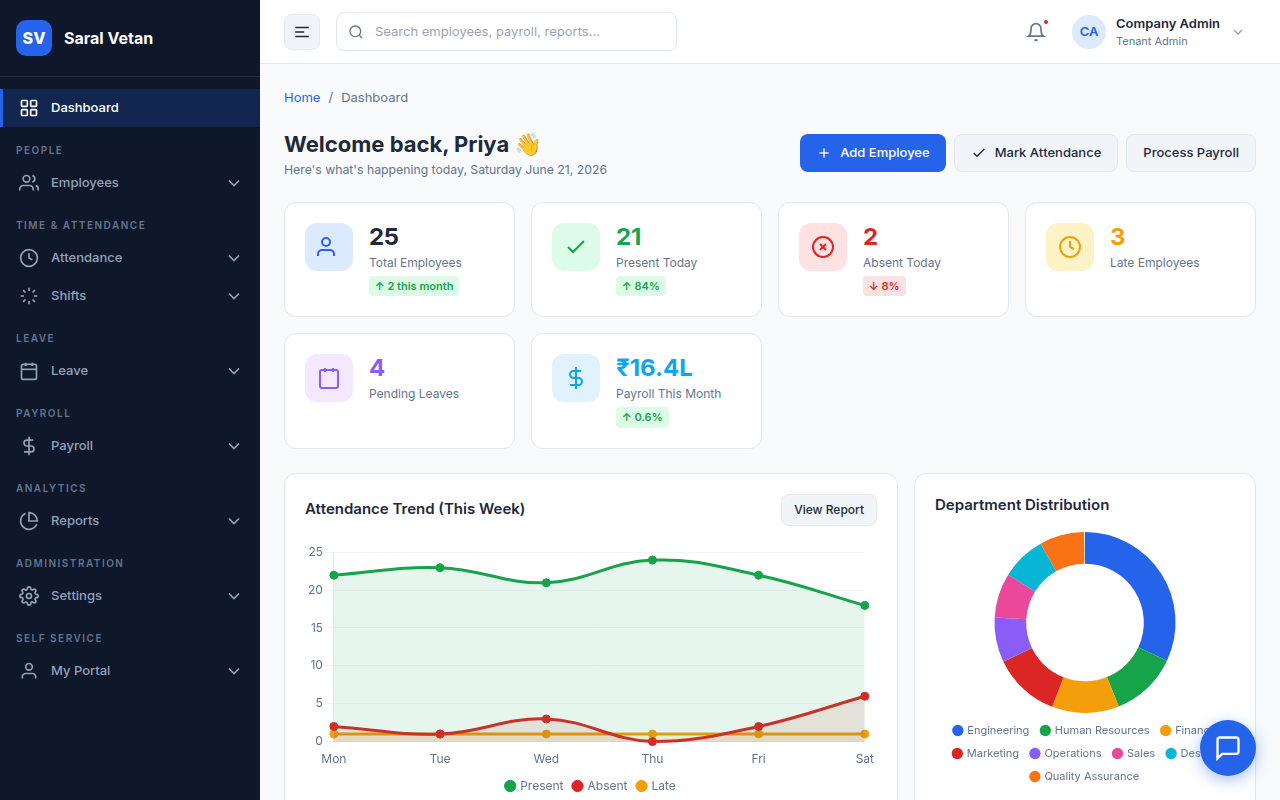
The Admin Dashboard is the first screen you see upon logging in. It aggregates critical data from all modules to give you a 30,000-foot view of your workforce in real-time.
1. The KPI Ribbon
At the very top, you'll find the Key Performance Indicator ribbon. This provides instant counts of total employees, present staff, and those on leave today.
2. Pending Approvals Queue
Directly below the KPIs is the most actionable part of the dashboard: the Pending Approvals queue. This widget consolidates Leave Requests and Attendance Corrections that require your attention.
How to process requests:
- Review the queue to identify urgent requests.
- Click on any request to open a detailed modal showing the employee's justification.
- Click Approve or Reject directly from the dashboard without needing to navigate to the specific modules.
💡 Tip: Approving requests daily from the dashboard prevents bottlenecks at the end of the month when you need to run payroll!